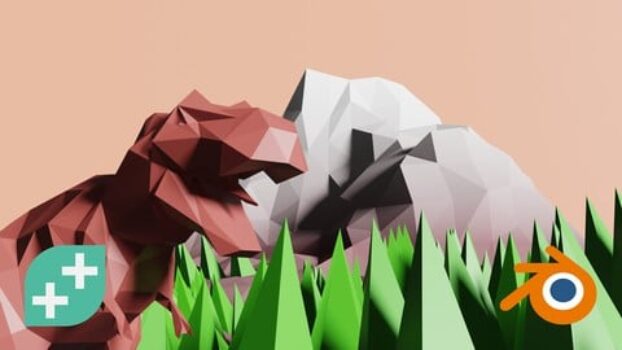
Learning 3D Modelling with Blender: A Practical Creator’s Guide (Compatible with 4.3)
Overview
This course is designed for anyone who wants to step into 3D modelling using Blender without being overwhelmed by technical complexity. It takes a creator-first approach—introducing Blender’s interface, modelling principles, and workflows through simple, visual projects that gradually build confidence.
Rather than focusing on abstract tools, the course emphasizes making tangible assets—objects, scenes, and basic animations—that can be used for games, visual art, or 3D printing.
Course Snapshot
- Instructor: Rick Davidson
- Last updated: March 2026
- Compatibility: Blender 4.3 (intro section updated for 4.4.x)
- Total learning time: ~14 hours
- Level: Beginner to early-intermediate
- Language support: English, Arabic (Auto)
- Certification: Included
- Access type: Full lifetime (mobile & TV supported)
- Resources: 85 downloadable files
What This Course Focuses On
The course is structured to help learners understand Blender by creating, not by memorizing menus. Starting from navigation and basic shapes, it moves into modelling workflows that reflect how 3D artists actually work.
Key focus areas include:
- Understanding Blender’s workspace and controls
- Building simple to moderately detailed 3D models
- Applying materials, colors, and lighting
- Preparing models for different use cases

Skills & Concepts You’ll Work With
Blender Foundations
- Navigating the interface and viewports
- Adding and editing objects
- Understanding transforms and object relationships
Core Modelling Principles
- Working with meshes and modifiers
- Using snapping, linked duplicates, and decimation
- Creating structured, clean geometry
Materials, UVs & Visuals
- Creating and assigning materials
- UV mapping and unwrapping
- Working with reflections, lighting, and scene setup
Basic Animation & Presentation
- Simple object and character animations
- Scene lighting and rendering
- Compositing effects such as glow
Project-Based Practice
- Building practical models like houses and environmental assets
- Creating a complete scene from start to finish
- Export-ready models suitable for games or 3D printing
Who This Course Is Best Suited For
- Beginners with no prior 3D or Blender experience
- Hobbyists interested in game assets or 3D printing
- Designers exploring 3D visual creation
- Creators transitioning from 2D to 3D workflows
- Anyone wanting a structured, hands-on introduction to Blender
Common Questions Learners Ask
Do I need prior 3D modelling experience?
No. The course starts from the basics and explains concepts step by step.
Is this compatible with newer Blender versions?
Yes. The course is compatible with Blender 4.3, with updated intro content.
Does it focus only on modelling?
Modelling is the main focus, but materials, lighting, and basic animation are also covered.
Can I use what I learn for games or 3D printing?
Yes. The workflows taught are suitable for both game assets and printable models.
What kind of computer do I need?
A standard Mac or PC capable of running modern Blender versions is sufficient.
Practical Value
What makes this course effective is its learning-by-building approach. By working through complete models and scenes, learners develop an intuitive understanding of Blender rather than just surface-level familiarity. This makes it easier to continue exploring more advanced 3D workflows later.
Final Thoughts
If you’re looking for a beginner-friendly way to start creating 3D models with Blender—while still learning techniques that scale to real projects—this course offers a clear and approachable path. Its focus on practical creation makes it a strong foundation for future work in games, printing, or digital art.
Affiliate Disclaimer: Some links in this post may be affiliate links. This means we may earn a small commission at no extra cost to you. These commissions help support the site — thank you for your support!