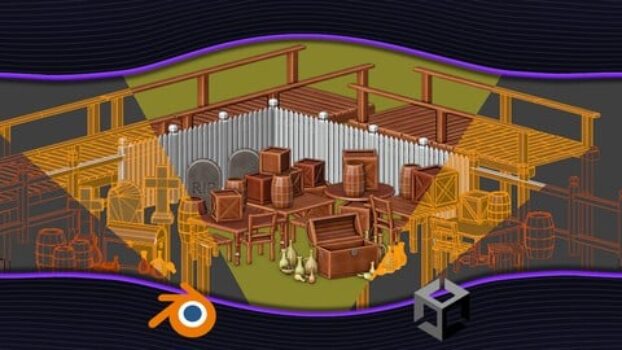
Learn Blender 3D Modeling for Unity Video Game Development
A Practical Guide to Creating Game-Ready 3D Assets, Levels & Animations for Unity
Course Overview
Learn Blender 3D Modeling for Unity Video Game Development is a hands-on course created for Unity developers who want to build their own 3D assets instead of relying on asset packs.
The course focuses on using Blender efficiently for game development, teaching only the tools and workflows that matter for real-time engines like Unity. Rather than covering Blender as a general 3D art tool, it emphasizes low-poly modeling, optimization, materials, UVs, and simple animations that integrate smoothly into game projects.
This program is ideal for developers who want more creative control over their games by designing props, environments, and animated objects themselves.
Key Course Details
- Instructor: Billy McDaniel
- Level: Beginner to Intermediate
- Language: English
- Total Duration: ~11.5 Hours
- Students Enrolled: 15,000+
- Rating: ⭐ 4.7 / 5
- Certificate: ✅ Yes
- Access: Lifetime (Mobile & TV)
What You Will Learn
Game-Ready 3D Modeling
- Modeling props and environment pieces in Blender
- Creating modular assets for level design
- Editing and improving existing Unity assets
Optimization for Game Engines
- Building low-poly models for real-time rendering
- Optimizing meshes for performance
- Preparing assets for Unity and similar engines
Materials, Textures & UVs
- UV unwrapping for game assets
- Applying materials and textures correctly
- Creating clean, efficient texture layouts
Blender Tools for Developers
- Essential Blender shortcuts and workflows
- Using modifiers like Mirror and Boolean
- Working faster with a developer-focused approach
Animation Basics
- Simple object animations in Blender
- Exporting animations to Unity
- Bringing props and environments to life


FAQs
Q: Do I need prior Blender experience?
No. The course starts from Blender basics relevant to game development.
Q: Is this course suitable for Unity developers?
Yes. It’s designed specifically with Unity workflows in mind.
Q: Will I learn character modeling?
The focus is on props, environments, and assets rather than detailed characters.
Q: Does this course cover optimization for games?
Yes. Low-poly modeling and performance considerations are emphasized.
Q: Will I receive a certificate?
Yes. A certificate of completion is included.
Learning Style & Structure
- Hands-on, practice-first teaching
- Focused only on Blender features relevant to game development
- Step-by-step asset creation
- Watch → practice → repeat workflow
- Designed for efficiency, not artistic overwhelm
Who This Course Is For
- Unity game developers
- Indie game creators
- Developers wanting to learn 3D modeling for games
- Beginners to Blender with game development goals
- Developers who want to customize their game assets
Why This Course Stands Out
- Blender taught specifically for Unity developers
- Strong focus on game-ready assets, not cinematic art
- Covers modeling, materials, UVs, and animation in one course
- Emphasizes clean workflows and optimization
- Ideal bridge between programming and 3D art
One Honest Limitation
This course focuses on game development assets, not advanced sculpting or cinematic rendering.
Artists looking for high-end character sculpting may need additional Blender courses.
Final Takeaway
If you are a Unity developer who wants to create your own 3D models, environments, and simple animations, this course provides a clear and practical path to mastering Blender for game development.
It’s especially valuable for developers who want full creative control over their games without becoming full-time 3D artists.
Affiliate Disclaimer: Some links in this post may be affiliate links. This means we may earn a small commission at no extra cost to you. These commissions help support the site — thank you for your support!