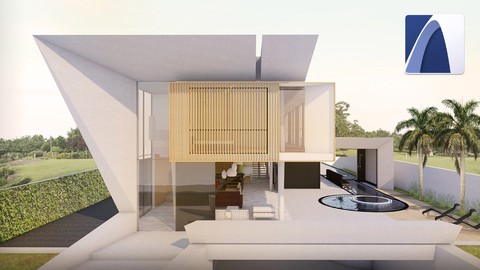
ARCHICAD 23: Beginner and Intermediate Level — Overview & Key Highlights
⭐ Course Introduction
This course is a practical, step-by-step introduction to ARCHICAD 23, focused on Building Information Modeling (BIM) for architectural projects. Taught by Alexandre Gonçalves (AGA Studio), it walks learners through creating a complete house project from scratch—using a structured BIM workflow that connects 3D modeling with automatically generated drawings and documentation.
The training emphasizes efficiency and clarity, making it suitable for beginners while still offering enough depth for learners moving into intermediate-level ARCHICAD use.
Instructor: Alexandre Gonçalves (AGA Studio)
Duration: 12.5 hours on-demand video
Rating: 4.4 / 5 (692 ratings)
Learners: 7,556 students
Languages: English (Auto)
Certificate: Included
Access: Lifetime on mobile & TV
Resources: 32 downloadable files
Price Note: ₹519 or $6 (₹2,139 or $25 original)

Key Highlights
- Beginner-to-intermediate training for ARCHICAD 23
- Full house project built step by step from zero
- Clear introduction to BIM concepts and workflows
- Automatic generation of plans, sections, and façades from the 3D model
- Terrain modeling using DWG references
- Use of a custom AGA Template for faster, consistent results
- Exporting and publishing drawings in PDF and DWG formats
What You Will Learn
BIM Fundamentals & Project Setup
- Understanding BIM concepts and how ARCHICAD applies them
- Project preferences, work environment, and interface setup
- Efficient use of tools, shortcuts, and templates
3D Modeling with Construction Information
- Creating accurate 3D architectural elements
- Modeling walls, slabs, roofs, and terrain
- Building a complete residential project step by step
2D Documentation & Drawings
- Setting up and generating floor plans
- Automatically producing sections and façades
- Creating construction details and schedules
Templates & Workflow Optimization
- Working with the custom-developed AGA Template
- Managing layers, pen sets, and model view options (MVO)
- Keeping drawings consistent across the project
Rendering, Publishing & Output
- Creating realistic 3D rendered images
- Publishing drawings and layouts
- Exporting files to PDF and DWG for sharing and collaboration
Frequently Asked Questions (FAQ)
Q — Do I need prior experience with ARCHICAD?
A — No. The course is designed for beginners and explains everything step by step.
Q — What software version is required?
A — ARCHICAD 23 (International version) or a newer version is required. Educational and trial versions are available.
Q — Is this course suitable for architecture students?
A — Yes. A basic understanding of architecture concepts is helpful, and the course fits well with academic learning.
Q — Does the course include a full project?
A — Yes. You will complete a full house project from start to finish using BIM principles.
Q — Will I learn both 3D modeling and 2D drawings?
A — Absolutely. The course shows how 3D BIM models automatically generate 2D documentation.
Q — Can I use these skills professionally?
A — The workflows taught are aligned with real-world BIM practices and are useful for professional architectural work.
Why This Course Stands Out
The course stands out for its clarity and real-project focus. Instead of isolated tools or features, it teaches ARCHICAD through a complete architectural workflow. The use of a custom template and emphasis on automatic documentation helps learners understand how BIM improves speed, accuracy, and consistency in design projects.