50 Projects In 50 Days – HTML, CSS & JavaScript
Overview
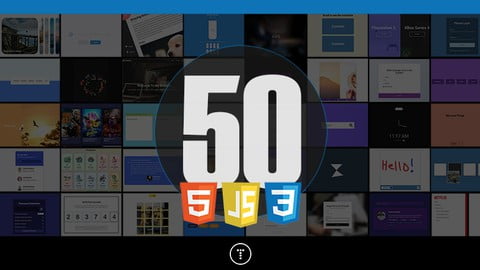
50 Projects In 50 Days – HTML, CSS & JavaScript is a hands-on, project-first course designed to strengthen front-end development skills through short, focused builds. Instead of long theoretical explanations, the course encourages learning by doing—one small project at a time.
Each project is designed to be completed quickly, helping learners practice HTML structure, modern CSS styling, and JavaScript DOM manipulation in realistic scenarios. The fast-paced format makes it ideal for developers who want to improve consistency, creativity, and confidence through daily coding practice.
Course Snapshot
- Instructor: Brad Traversy (Traversy Media)
- Students enrolled: 90,000+
- Content length: ~19.5 hours
- Difficulty level: Beginner to early-intermediate
- Language: English (auto captions available)
- Certification: Certificate of completion
- Access: Lifetime (mobile & TV supported)
What This Course Actually Covers
This course is entirely project-driven. Instead of following a single large application, learners build 50+ small, independent projects, each focused on a specific front-end concept.
Projects emphasize:
- Clean UI design
- Interactive behavior
- Realistic front-end patterns
- Practical JavaScript usage without heavy frameworks
Each mini project introduces a new idea while reinforcing previously learned skills.

Skills & Concepts You’ll Work With
HTML & CSS Foundations
- Structuring pages with semantic HTML
- Modern layout techniques using Flexbox
- CSS animations and transitions
- Custom properties (CSS variables)
- Responsive and visually engaging UI elements
JavaScript & DOM Manipulation
- Selecting and modifying DOM elements
- Handling user events (clicks, inputs, scrolls)
- Working with arrays and basic data structures
- Updating UI dynamically with JavaScript
- Fetching data and handling simple HTTP requests
Front-End Project Patterns
- Interactive components (cards, sliders, menus)
- Loading effects and animations
- Navigation interactions
- UI widgets commonly used in real websites
- Reusable project boilerplates
Who This Course Is Best Suited For
- Beginners who already know basic HTML, CSS, and JavaScript
- Learners looking for practice ideas and project inspiration
- Front-end developers wanting to sharpen DOM and UI skills
- Self-taught developers building a portfolio
- Anyone who learns best through repetition and hands-on coding
Common Questions Learners Ask
Is this suitable for absolute beginners?
Basic knowledge of HTML, CSS, and JavaScript is recommended.
Are the projects complex?
Projects are intentionally small and focused, designed to be completed quickly.
Does this course use frameworks like React?
No. The focus is on vanilla JavaScript and core front-end skills.
Can these projects be added to a portfolio?
Yes. Many projects can be customized and expanded for portfolio use.
Is this more about design or logic?
It balances both—modern UI styling and practical JavaScript behavior.
Practical Value
The main strength of this course is consistency through repetition. By building one small project at a time, learners develop muscle memory for front-end workflows and gain confidence working with the DOM, styling interactions, and JavaScript logic.
It’s especially useful for developers who feel stuck after learning the basics and need structured practice to move forward.
Final Thoughts
If you want to improve your front-end skills by building real, interactive mini projects, this course offers a fast, practical way to level up. It’s not about mastering frameworks—it’s about becoming comfortable with the core building blocks of the web through daily coding practice.
Affiliate Disclaimer: Some links in this post may be affiliate links. This means we may earn a small commission at no extra cost to you. These commissions help support the site — thank you for your support!